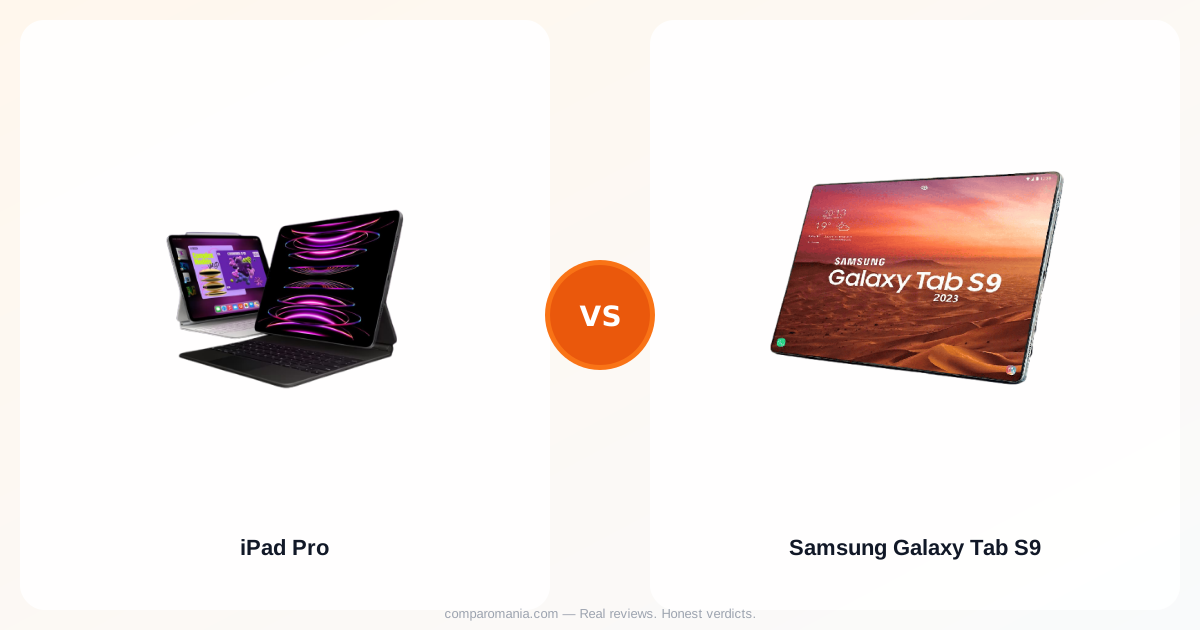
You ordered the Samsung because the price made sense. Or you almost ordered the iPad Pro and stopped at checkout when you noticed the keyboard was $299 extra. Both decisions are defensible. What's harder to work out, from spec sheets and five-star reviews, is which one you'll actually still want two years from now.
This comparison covers both. Exact numbers, real owner friction, and one cost most buyers don't calculate until it's too late.
The price gap is bigger than the sticker shows
The 11-inch iPad Pro starts at $999 for the Wi-Fi model. The Samsung Galaxy Tab S9 launched at $799, so on the surface, you're looking at a $200 difference. That's not nothing, but it's not the real gap either.
The Apple Pencil Pro costs $129, and the Magic Keyboard for the 11-inch iPad Pro is $299. Add both and your iPad Pro setup lands at $1,427 before you've bought a case. The Samsung Galaxy Tab S9 comes with the S Pen stylus included in the box, and third-party keyboard cases for the Tab S9 run $40–$80. A comparable Samsung setup costs somewhere around $850–$900 total. That's a $500+ difference, not $200.
Of course, not everyone needs the keyboard. But most people buying a Pro-tier tablet intend to do more than watch videos, and Apple's accessory pricing is calibrated to extract that ambition.
The display isn't even close
Apple's Tandem OLED technology combines the light of two OLED panels, achieving 1,000 nits for SDR and HDR content and 1,600 nits of peak brightness for HDR. The Galaxy Tab S9 features a Dynamic AMOLED 2X display with 420 nits of typical brightness and 750 nits peak.
That's not a marginal difference. Outdoors, or under harsh office lighting, the iPad Pro's display is in a separate category. One owner who runs both devices daily described the iPad Pro's screen and sound as "out of this world" and better than the Tab S9. Reviewers who compared the two side-by-side consistently flag the brightness gap as the single most visible difference in real-world use.
For video editors, digital artists, and anyone doing colour-sensitive work, this matters concretely. For people who mostly use their tablet indoors at a desk, it matters less than the price premium suggests.
Raw performance, and what it's actually for
The iPad Pro runs Apple's M4 chip, which Apple says delivers a CPU 1.5 times faster than the M2 it replaced. The Galaxy Tab S9 runs Qualcomm's Snapdragon 8 Gen 2 with 12GB of RAM in the top configuration.
On paper and in benchmarks, the M4 wins. In practice, the question is whether you'll ever stress either chip. One owner described the iPad Pro chip as "silly overkill" for most everyday use cases. The Snapdragon 8 Gen 2 handles 4K video, multitasking, and Samsung DeX without noticeable strain in standard conditions. Thermal design is a known ceiling on the Tab S9, intensive 3D workloads running beyond 20 minutes can trigger frame drops, particularly in warm environments.
For professional video editing, Xcode work, or anything that genuinely requires laptop-class sustained performance, the M4's thermal headroom is real. For everything else, both chips are fast enough that you'll have replaced your tablet before the hardware feels slow.
Build and design: thin versus protected
The iPad Pro 2024 measures 5.3mm thick at 11 inches, weighing 0.98 lbs (445g). The Galaxy Tab S9 is 5.9mm thick and weighs 500g. The iPad Pro is lighter and thinner, by a margin you'll actually feel after an hour of holding it.
Both use aluminum bodies. Both feel premium in hand. But here's where they split: the Galaxy Tab S9 carries an IP68 water resistance rating, and the iPad Pro does not, a practical difference that matters if you're buying for someone accident-prone or using it near water. Apple notes the iPad Pro enclosure is made from 100% recycled aluminum, but no IP rating is offered.
The Tab S9 is also available in Beige, which sounds minor until you've spent three years looking at Space Black.
The hidden cost nobody tracks until year three
This is the structural observation: software support windows determine the real lifespan of your tablet, and most buyers don't factor this into the purchase price, then feel it sharply when the device starts feeling stranded.
iPads generally receive up to 7 years of software updates. The Galaxy Tab S9 series is eligible for four years of Android OS updates, which puts its support window ending around 2027. That's not catastrophic, but it's real. A tablet bought for $800 in 2023 with a 2027 software sunset is a different value calculation than one bought for $999 that still runs current software in 2030.
Samsung's trade-in program softens this somewhat. Samsung regularly offers trade-in credit that exceeds the resale value of older devices, in contrast to Apple, where second-hand resale often beats trade-in returns. So the path out of the Samsung ecosystem is different, not necessarily worse. But the longer you plan to hold the device, the more the software support gap compounds.
Ecosystem and daily workflow
If you already own a Mac, iPhone, or Apple Watch, the iPad Pro pays dividends that are hard to quantify individually but significant in aggregate, Handoff, AirDrop, Sidecar, iMessage continuity, and Universal Clipboard all work without configuration. The experience isn't magic, but it's noticeably frictionless compared to cross-platform setups.
The Tab S9 makes the opposite case for Android and Windows users. Samsung DeX supports running three or four windows simultaneously without app reloads, and the Tab S9 functions as a second monitor for both Windows and Mac machines. Users note that the iPad, by contrast, only works as a second screen via USB-C with Mac.
One category where Samsung clearly wins: flexibility. The Tab S9 works with any Bluetooth keyboard, any USB-C hub, and a broader range of file management tools without fighting the operating system. iPadOS has improved, but it still gates certain workflows in ways Android doesn't.
For pure Apple households, the iPad Pro is the obvious fit. For mixed-OS environments or Android phone users, the Tab S9 integrates without friction that the iPad creates.
Long-term ownership cost, totalled up
Buying the 11-inch iPad Pro with the Magic Keyboard and Apple Pencil Pro runs $1,427 at retail. The Galaxy Tab S9 has been available at $699 with Samsung's standard $100 discount, and with a mid-range keyboard case and the included S Pen, a full setup lands around $750–$800. The gap is $600–$700 depending on timing.
That gap narrows if you skip Apple's keyboard and use a third-party stylus, which the iPad Pro supports. But the M4 iPad Pro at $999 bare, no keyboard, no pencil, is still only justifiable if you're using the display, the chip, or the Apple ecosystem in ways the Tab S9 can't match. If you're not sure which of those applies to you, the Tab S9 is the lower-risk purchase.
Apple's longer support window does reduce long-term cost per year of use, but only if you actually hold the device long enough for that difference to show up. Most people replace tablets before the software support gap becomes the binding constraint.